

Geekvape Wenax S-C Pod Kit
$8.99
Geekvape Wenax S-C Pod Kit – 1100mAh
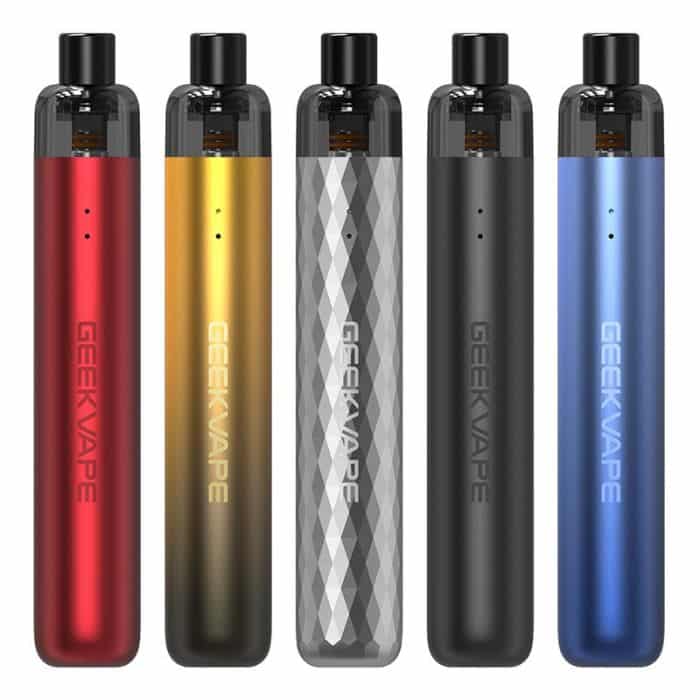
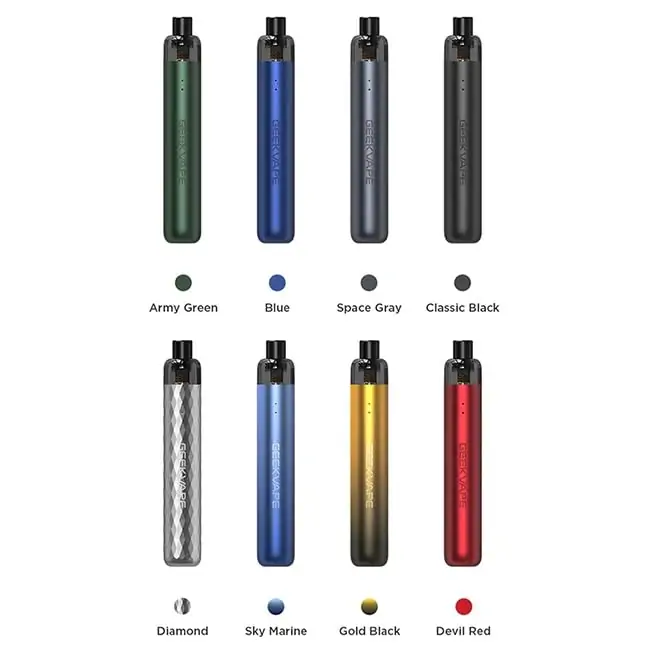
The Geekvape Wenax S-C Pod Kit is a compact and easy-to-use pod system designed for a smooth and satisfying MTL (mouth-to-lung) vaping experience. Featuring a built-in 1100mAh battery, adjustable output, and convenient Type-C charging, the Wenax S-C is made for reliable everyday use.
The upgraded G Series pod and mesh coil help deliver smooth vapor and consistent flavor, while the device supports both draw-activated vaping and button firing. With three adjustable power levels, users can fine-tune the output to match their preferred vaping style.
Key Features
1100mAh Built-In Battery for extended daily use
2ml Pod Capacity for a compact and portable setup
MTL Vaping designed for a tighter, cigarette-like draw
Auto-Draw & Button Activation for flexible operation
3-Level Adjustable Output for personalized performance
Type-C Charging with 5V/1A charging support
Mesh Coil Technology for smooth vapor and consistent flavor
Compatible with Geekvape G Series Coils
Compact and lightweight design for everyday portability
Specifications
Dimensions: 18.85 × 112mm
Battery Capacity: 1100mAh
Pod Capacity: 2ml
Charging: Type-C, 5V/1A
Resistance Range: 0.5–3.0Ω
Auto-Draw Output:
0.6Ω: 14W / 15W / 16W
1.2Ω: 9W / 10W / 11W
Button Firing Output:
0.6Ω: 16W
1.2Ω: 11W
Recommended Coil Range:
0.6Ω: 13–18W
1.2Ω: 10–12W
Maximum Vaping Time: 10 seconds
PCBA Temperature Protection: 80°C
Low Voltage Warning: 3.2V ± 0.1V
Standby Current: <15μA
Operating Temperature: -10°C to 45°C
Package Includes
1 × Geekvape Wenax S-C Pod Kit
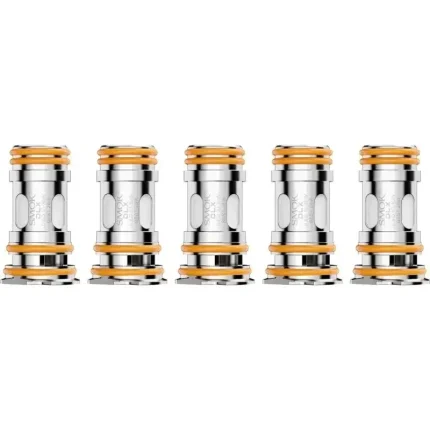
1 × Geekvape G Series 0.6Ω Coil (Pre-Installed)
1 × Geekvape G Series 1.2Ω Coil
1 × Coil Tool
1 × Delrin Drip Tip
1 × Type-C Charging Cable
GeekVape: The Durability Brand
Ask on r/Vaping what device survives being dropped, rained on, or generally abused, and GeekVape comes up first. The Aegis line built that reputation — IP-rated, shock-resistant hardware that regular users describe as an indestructible workhorse — and the engineering carries through to the smaller pod devices and tanks. The community view is consistent on the trade-off too: excellent build quality, with occasional variance in stock coils. That's worth knowing up front, and it's why we sell coils in 5-packs rather than singles. A dud in a pack of five is an inconvenience; a dud when it's your only one ruins your week. Everything here is genuine stock shipping from our US warehouse.GeekVape In Stock
Coils
- Z (Zeus) Mesh — 5-pack — $15.99. Our best-selling coil across the entire site. Fits the Zeus, Zeus X, Zeus Dual, and Zeus Sub-Ohm tanks. Dense flavor and forgiving at high wattage.
- B Series 0.15Ω Mesh — 5-pack — $17.99. Low resistance for high-wattage sub-ohm setups.
- J Series — 5-pack — $16.99. 0.4Ω at 23–28W, built for restricted lung and MTL draws.
- P Series — 5-pack — for Aegis Boost and compatible pod-mod devices.
Pods and Kits
- Sonder Q 20W Pod Kit — $12.99 and the best value pod kit we stock. Adjustable airflow runs either a tight MTL draw or a looser one, and the IP68-rated body handles drops and moisture that kill lesser devices.
- Q Replacement Pod — 3-pack — $10.99, for the Sonder Q.
- Aegis Nano Replacement Pod — 2-pack — $9.90.
Tanks and Glass
- Zeus Nano Bubble Glass 3.5ml — $1.99. Expands capacity and doubles as a spare.
- Zeus Replacement Bubble Glass — fits the Zeus Dual, Zeus X, and Zeus Sub-Ohm. Cracked glass is the most common tank failure and this is a two-dollar fix instead of a thirty-dollar replacement.
How to Unlock a GeekVape
This is the single most searched GeekVape question, and it catches almost everyone at least once. Most GeekVape mods and pod-mods have a lock function that disables firing to prevent pocket activation. Standard unlock: press the fire button five times rapidly. The screen wakes and the lock icon disappears. Five clicks also powers the device on and off on most models — if nothing happens, the device is off rather than locked, so click five times again. Aegis series (Legend, Solo, Boost): five rapid clicks of the fire button. Some models also support a fire-plus-up-button combination to lock the screen only while leaving firing active — useful if you want to prevent accidental wattage changes. If five clicks does nothing:- Check the battery. A dead cell won't respond to any button input. Charge for 20 minutes and try again.
- Check for a physical lock switch. A few models have a sliding lock on the side or base, separate from the button sequence.
- Reseat the battery. On removable-cell mods, open the door, remove and reinsert the cells, and confirm polarity against the markings inside.
- Check "fire locked" specifically. Some devices distinguish between screen lock and fire lock. If the display works but the device won't fire, it's fire lock — five clicks resolves it on nearly all models.
Resetting a GeekVape
Most GeekVape mods don't have a factory reset button. The reliable reset is to remove the batteries (or let an internal-battery device drain fully), leave it for a minute, then reinsert and power on. This clears the puff counter and most software hangs. On menu-driven models, holding fire plus both adjustment buttons opens the settings menu, where a reset option is sometimes available.Bypass mode
Bypass mode makes a regulated mod behave like an unregulated one — power output tracks battery charge instead of holding a set wattage. If you've ended up there by accident and the device feels inconsistent, enter the menu by pressing fire three times rapidly, cycle to VW or Power mode, and confirm with the fire button.Changing a GeekVape Coil
- Empty the tank or drain it low before you start.
- Unscrew the base and remove the old coil. If the threads are stuck from dried e-liquid, run the joint under warm water for 30 seconds — never use pliers.
- Prime the new coil. Drip e-liquid directly into the exposed cotton ports until saturated, usually 5 to 8 drops.
- Reassemble, fill, and wait ten minutes. Firing dry cotton burns it permanently in under a second.
- Start at the low end of the coil's printed wattage range and work up until flavor peaks.
GeekVape FAQs
Who owns GeekVape?
GeekVape is a Shenzhen-based manufacturer founded in 2015, independently held rather than part of a larger tobacco group. It's one of the longer-established hardware companies in vaping, with the Aegis mod series as its flagship product line.Is GeekVape a good brand?
For hardware durability, it has one of the strongest reputations in the category — the Aegis line in particular is widely described in vaping communities as capable of surviving drops, water exposure, and daily abuse that would end most devices. The recurring criticisms are more specific: occasional coil duds within a pack and, on some pod models, leaking. Neither is universal, and both are the kind of variance you see across every high-volume manufacturer, but it's an honest picture rather than a marketing one.How do I turn on a GeekVape?
Five rapid clicks of the fire button on nearly every model. The same sequence powers off. If nothing happens, charge it — a flat battery won't respond to button input at all.How do I change the wattage?
Use the up and down adjustment buttons on the device. If the buttons don't respond, the settings are locked — five clicks unlocks. Always keep wattage inside the range printed on the coil.Which coil do I need?
Match the series, not just the brand. Z (Zeus) coils fit Zeus-family tanks; B Series and J Series and P Series are all different and not interchangeable. The series name is printed on the coil itself — read it before ordering.Why is my Aegis pod leaking?
Usually overfilling with no air gap, a pod that isn't fully seated, or hard fast draws flooding the coil. Cabin pressure is another common cause — empty the pod before flying. See taking a vape on a plane.What juice should I use?
Nicotine salts at 25mg or 50mg in the Sonder Q and Aegis Nano. Freebase at 3mg or 6mg in a Zeus tank on a mod — salts in a sub-ohm tank deliver several times the intended nicotine per puff. Browse all vape juice.How long do GeekVape coils last?
Five days to two weeks. Sweetened dessert and tobacco blends caramelize on the mesh and shorten life considerably; clean fruit and menthol run longest. Replace as soon as flavor drops — a scorched coil doesn't recover.Related products

Vaporesso GTi Mesh Replacement Coils (5x Pack)
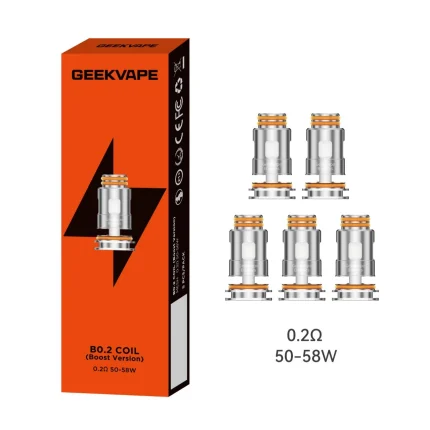
Geek Vape B Series Boost Replacement Coils

Vaporesso ECO Nano Pod ( Pack of 2)


SMOK RPM 3 REPLACEMENT COILS
Vaporesso GTX Mesh Coil (Pack of 5)

Uwell Caliburn GPP Integrated Coil Cartridge Replacement Pod (Pack of 3)


GEEKVAPE J Series Replacement Coil (Pack Of 5)

Geekvape P Series Replacement Coils (5x Pack)
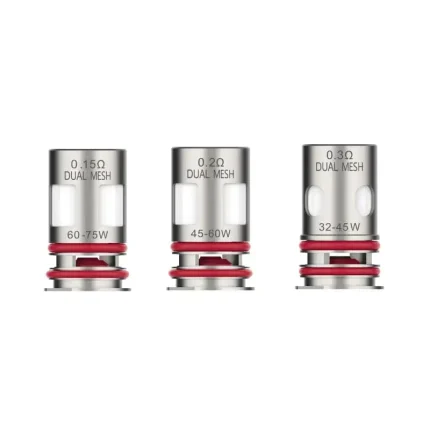
Vaporesso GTX-4 Dual Mesh Coil (Pack of 5)

Geekvape Z (Zeus) Mesh Replacement Coil (Pack of 5)