


You just unboxed a brand-new Foger Switch Pro 30K, popped the magnetic power bank into place, watched the OLED screen light up to a confident 100%, and took a pull.
Nothing. No vapor, no flavor, just air.
If that sounds familiar, take a breath — you’re not alone, and in the vast majority of cases, your Foger Switch Pro 30K isn’t dead. It’s almost always a simple connection issue that takes less than five minutes to fix. Below, we’ll walk through exactly why this happens and how to get your device firing again, starting with the fastest fixes first.
Quick Fix Checklist
Before we go step by step, here’s the short version. Try these in order:
- Detach and reattach the magnetic power bank
- Wipe down the gold/magnetic contact points
- Confirm the airflow switch isn’t fully closed
- Give the power bank a full USB-C charge (not just a top-up)
- Toggle between Normal and Boost mode
- Swap in a different power bank, if you have a spare
If none of those work, skip to the “When to Request a Replacement” section near the end.
Note: If your device’s screen is showing a blinking “188” code specifically, that’s a different (and more specific) error than a generic no-hit issue. We cover that one separately in our Foger Switch Pro 30K blinking 188 guide.
Why This Happens: A Quick Look at How the Switch Pro 30K Works
Unlike older single-piece disposables, the Foger Switch Pro 30K is built in two parts: a 19mL prefilled pod with dual-mesh coils, and a separate, magnetically removable power bank with a 1050mAh battery and OLED display. (If you haven’t picked one up yet, our full Foger Switch Pro 30K review covers everything the device does right, along with a few of its quirks.) The two halves connect through small magnetic contact points rather than a soldered or screw-in connection.
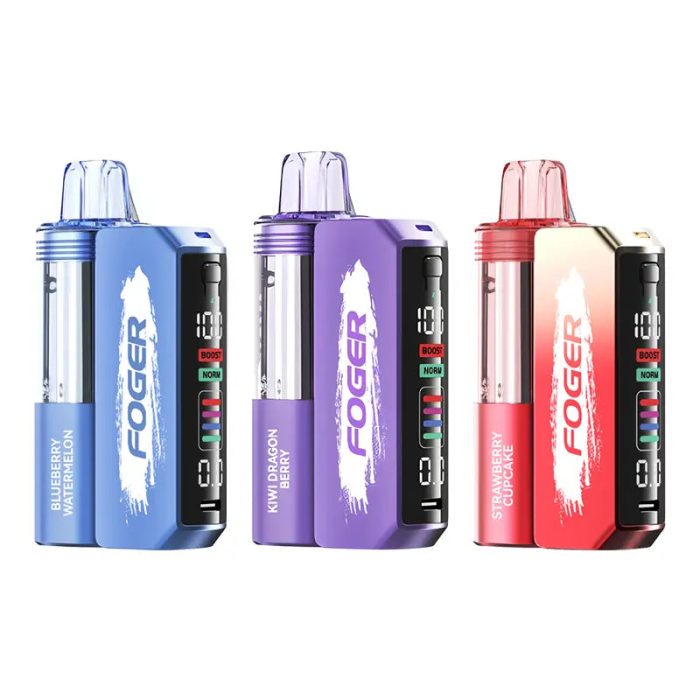
Foger Switch Pro 30K Disposable Vape (5%, 30000 Puffs)
Foger Switch Pro 30K Disposable Vape features a rechargeable pod-style design, 30,000 puffs, 5% nicotine, and multiple flavor options.
Quick Link
This two-piece, magnetic design is what makes the device rechargeable and reusable in the first place, but it also introduces the one weak point that causes almost every “not hitting” complaint: the connection between the pod and the power bank has to be clean and properly seated for the circuit to close. If that connection is even slightly off — due to a speck of dust, a tiny air gap, or the pod not clicking in at the correct angle — the device will show a full battery on the display, but the draw-activated sensor won’t trigger the dual-mesh coil.
In other words: the battery is fine, the e-liquid is fine, but the two pieces aren’t talking to each other.
Fix #1: Detach and Reattach the Switch Pro 30K’s Power Bank
This solves the issue more often than any other single step. Firmly pull the pod away from the power bank, then snap it back into place, making sure you feel — and ideally hear — a solid magnetic click. Because the Switch Pro 30K’s connection is magnetic rather than threaded, it’s easy to seat it a hair off-center without realizing it, especially the first time you’re handling a new device.
Once reattached, take a slow, steady draw. If the OLED display flickers or the puff counter changes, you’re back in business.
Fix #2: Clean the Magnetic Contact Points on Your Foger Switch Pro 30K
If reattaching didn’t help, the next most common culprit is residue on the Switch Pro 30K’s contact points themselves. Even a light film of oil from your fingers, dust from packaging, or a stray drop of e-liquid can be enough to interrupt the connection.
- Separate the pod from the power bank
- Using a dry cloth, cotton swab, or the corner of a paper towel, gently wipe both sets of magnetic contacts — the ones on the bottom of the pod and the ones on the top of the power bank
- Avoid alcohol or liquid cleaners unless the contacts look visibly sticky; dry contact is usually enough
- Reattach and test again

Foger Switch Pro 30K Replacement Pod
The Foger Switch Pro 30K Replacement Pod features 19mL of e-liquid, 5% nicotine strength, a dual mesh coil, and up to 30,000 puffs for a smooth, long-lasting vaping experience. Compatible with the Foger Switch Pro Kit.
This takes about 30 seconds and resolves a surprising number of “brand new but won’t hit” cases.
Fix #3: Check the Switch Pro 30K’s Adjustable Airflow
The Foger Switch Pro 30K includes an adjustable airflow switch, which is one of its standout features compared to fixed-airflow disposables. If that switch is rotated to a fully closed or heavily restricted position, you may get little to no visible vapor even when the coil is firing correctly, which can feel identical to a “not hitting” problem.
Locate the airflow switch on the side of the device and rotate it to a more open position, then try again. If airflow was the issue, you’ll notice an immediate difference in vapor production.
Fix #4: Fully Charge the Foger Switch Pro 30K via USB-C
An OLED display reading 100% isn’t always the full story, especially right out of the box, since the Switch Pro 30K’s power bank can occasionally ship with a partial charge that reads inaccurately until it’s gone through a full charge cycle.

- Connect the power bank to a USB-C cable and a reliable power source (a wall adapter tends to be more consistent than a laptop USB port)
- Let it charge fully and allow the light or display to confirm a complete charge, rather than unplugging as soon as it looks close to full
- Reattach the pod and test again
If the device wasn’t drawing power correctly the first time, a full, uninterrupted charge cycle often resets that connection.
Fix #5: Toggle Between Normal and Boost Mode
The Switch Pro 30K’s two power modes (Normal, rated up to 30K puffs, and Boost, rated up to 18K puffs with a more intense throat hit) draw power differently. In rare cases, especially if the device powered on in one mode and the connection was slightly unstable, switching modes can effectively “reset” the circuit.
Use the mode switch to toggle to Boost, take a test draw, then switch back to Normal and try again. This is a minor fix, but it’s fast, free, and worth trying before moving to more involved troubleshooting.
Fix #6: Swap in a Different Power Bank (If Available)
If you own more than one Foger Switch Pro device, or have an older power bank on hand, this is the most reliable way to isolate the problem. Detach your current pod and connect it to a different, known-working power bank.

- If the pod hits normally on the other power bank: your original power bank is likely the issue.
- If it still doesn’t hit: the pod itself — most likely the mesh coil or the internal contact wiring — is the more probable cause.
This step won’t be available to everyone, but if you’re a regular Foger user with spare devices around, it’s the fastest way to know exactly which half needs replacing.
What NOT to Do
Search around online and you’ll find no shortage of “fixes” involving firmly tapping, dropping, or even throwing a disposable vape to jar the internal connection loose. While it’s true that a hard knock can sometimes temporarily reseat a loose internal wire, this isn’t a real fix — it’s a coincidence that happens to work until it doesn’t. Repeated impact can damage the Switch Pro 30K’s internal wiring, crack the pod, or, in rare cases, compromise the battery. Stick to the steps above; they address the actual cause without risking damage to your device or, more importantly, to you.
It’s also worth ruling out one other possibility: counterfeit units. Foger is a popular enough brand that fakes do circulate, and counterfeit hardware is far more prone to loose internal connections and dead-on-arrival issues. If you’re not 100% sure your device is authentic, our guide on how to spot a fake Geek Bar or Foger vape walks through the packaging and hardware details to check.
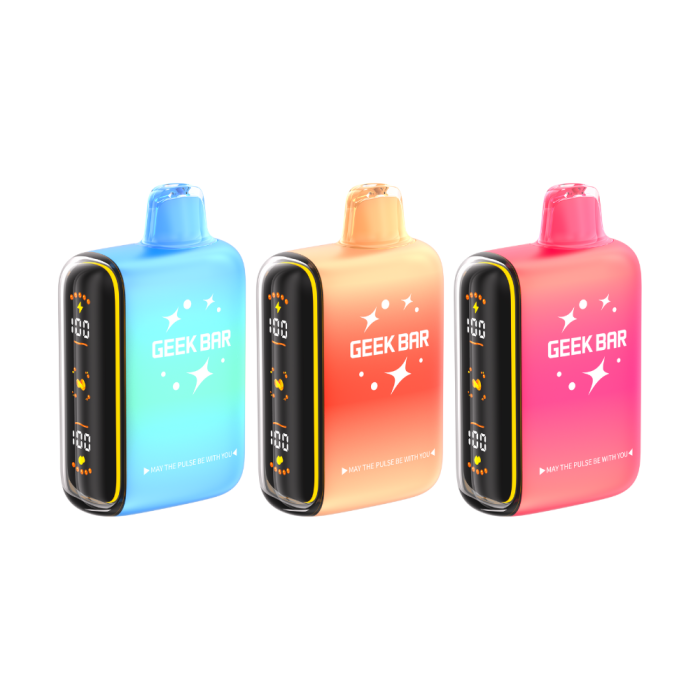
Geek Bar Pulse Disposable Vape 15000 Puffs
The Geek Bar Pulse 15000 Disposable Vape features a smart screen display, dual power modes, a 650mAh rechargeable battery, 16mL e-liquid capacity, and up to 15,000 puffs for a powerful, long-lasting vaping experience.
Quick Links:
Geek Bar Disposables
Geek Bar Pulse X 25K
When to Request a Replacement
If you’ve worked through every step above — reseated the connection, cleaned the contacts, checked airflow, fully charged the power bank, toggled modes, and (if possible) tested with a second power bank — and your Foger Switch Pro 30K still won’t produce vapor, you’re likely dealing with a manufacturing defect rather than user error. This happens occasionally with any disposable or semi-disposable vape brand, and it isn’t something you should have to troubleshoot indefinitely.
At that point:
- Hold onto your receipt or order confirmation
- Note the flavor and batch, if visible on the packaging
- Reach out to the retailer you purchased from for a replacement or refund under their return policy
If you bought your Foger Switch Pro 30K from PrimaryVape, our customer support team can help you sort out a defective unit quickly — you shouldn’t have to fight with a $30 device to get it to do the one thing it’s supposed to do.
And if you’re waiting on a replacement (or the flavor you want happens to be sold out while you sort things out), check out our roundup of the best Foger Switch Pro 30K alternatives to see what else is worth trying in the meantime.
Preventing This Next Time on Your Foger Switch Pro 30K
A few habits can lower the odds of running into this issue with your next pod:
- Always seat the pod fully into the Switch Pro 30K’s power bank; listen or feel for the magnetic click rather than assuming it’s connected
- Avoid overcharging or leaving the power bank on the charger long after it hits 100%, since heat buildup can affect the magnetic contacts over time
- Store your Switch Pro 30K upright when not in use to reduce the chance of e-liquid pooling near the contact points
- Keep the contact points dry — wipe them occasionally, especially if you notice any residue after swapping pods
Curious whether you can top off a pod once the e-liquid runs low instead of replacing the whole thing? We’ve got a separate breakdown on whether you can refill the Foger Switch Pro 30K.
Final Thoughts
A Foger Switch Pro 30K that won’t hit is almost never a dead device — it’s a connection problem between two magnetically joined halves, and it’s usually solvable in under five minutes without any tools. Start with the simplest fix (detach and reattach), work your way through cleaning the contacts and checking airflow, and only consider a replacement once you’ve ruled out every step above.
Looking to try the Foger Switch Pro 30K for yourself, or need a replacement in a flavor you’ll actually enjoy troubleshooting for? Browse the Foger Switch Pro 30K Disposable Vape at PrimaryVape, check out our picks for the best Foger Switch Pro 30K flavors, or see how it stacks up in our Foger Switch Pro 30K vs. Geek Bar Pulse X 25K comparison if you’re still deciding between the two.

